A tool that allows you to unpack and edit Symbian 9 SIS packages.
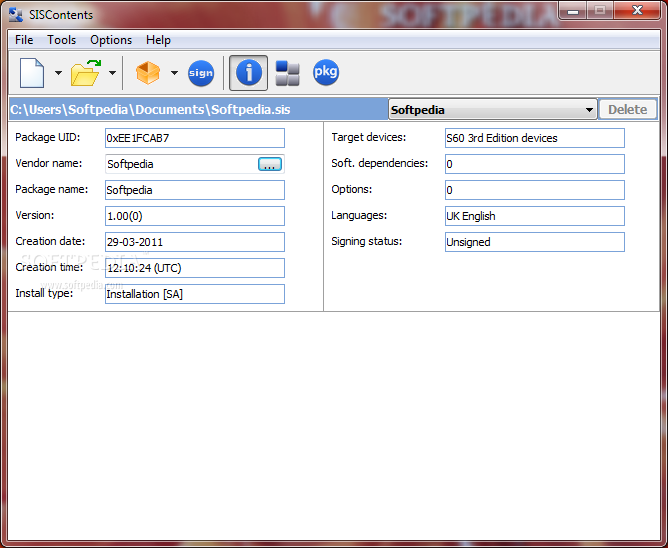
SISContents is a lightweight and useful utility designed to unpack and edit Symbian 9 SIS packages (Sony Ericsson UIQ 3.x platforms and Nokia S60 3rd Edition are supported).
It helps you to inspect the files contained in SIS package, to see certificates against which it was signed as well as to view the PKG script that describes the on-device installation process.
Here are some key features of "SISContents":
* Read the contents and show information on SIS package;
* Unpack files from SIS package;
* Extract embedded components of package as sis files (including certificates and signatures);
* View and save installation PKG script;
* Show information on certificates (validity period, issuer, subject, etc.), and delete them from package;
* Edit package: modification of name, vendor, version, type of installation, supported platforms (devices) is available. You can also add, replace and delete files containing in a package and change capabilities of executables (i.e. exe, dll, ldd, etc.);
* Extract images from mif files.
Portable HxD 1.7.7.0

The portable version of a carefully designed and fast hex editor that includes RAW disk editing, modifying foreign RAM and handling files of any size
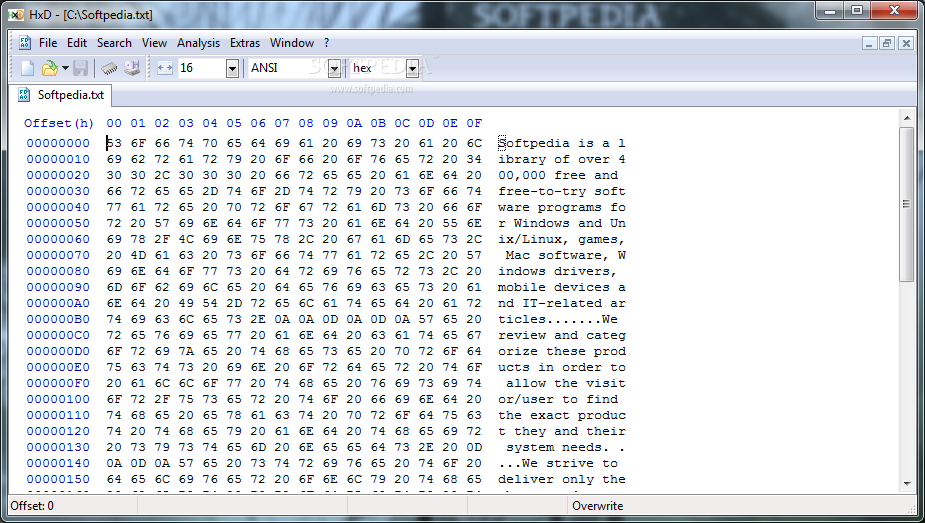
HxD is a carefully designed and fast hex editor including raw disk editing, modifying foreign RAM and handling files of any size.
Its clear interface offers searching/replacing, exporting, checksums/digests, insertion of byte patterns, a file shredder, concatenation or splitting of files, statistics and more.
Editing works like in a text editor with functions streamlined to hide differences that are purely technical.
For example you can view a drive just as one stream, can open it under Windows 9x or Windows NT+, undo, search, save, export or whatever you could do with a file.
There is no sector-limited editing that gets in your way. The same holds true for the file size (also > 4 GB), which doesn't affect editing speed and still supports undo.
Or have a look at the RAM-editor that supports data-folding on every memory section and hides by default inaccessible memory, for a better overview but keeps the real offsets.
Here are some key features of "Portable HxD":
* Instant opening regardless of file-size (>4GB is no problem: opening, editing are very fast)
* Fast searching: forward, backwards or from beginning
* Replace function (fast even for millions of edits)
* Search and replace support Unicode, Ansi-text and Hex-values
* Disk-Editor: RAW reading and writing of disks and drives (hard disks, floppy disks, USB-disks, CD-ROM, ...) for Win9x, WinNT and higher
* RAM-Editor: can read and write virtual memory of other processes
* Data-folding for better overview in RAM-Editor
Exporting of data to source code (Pascal, C, Java) or as formatted output (plain text, HTML, Richtext, TeX) or to hex formats:
* Motorola S19 Records, Motorola S28 Records, Motorola S37 Records, 16 Bit Intel Hex, 20 Bit Intel Hex, 32 Bit Intel Hex
* Checksum-Generator: Checksum-8, Checksum-16, Checksum-24, Checksum-32, CRC-16, CRC-16 CCITT, CRC-32, Custom CRC, SHA-1, SHA-256, SHA-384, SHA-512, MD-2, MD-4, MD5
* Insertion of byte patterns
* File shredder for safe file deletion
* Splitting or concatenating of files
* File compare (simple)
* Statistical view: Graphical representation of the character distribution. Helps to identify the data-type of a selection.
* Support for ANSI, DOS/IBM-ASCII, EBCDIC and Macintosh charsets
* Byte grouping (1, 2, 4, 8 or 16 bytes packed together in one column)
* Hex only or text only mode
* Progress-window displays on long time operations (shows remaining time and has a cancel-button)
* Unlimited undo
* Modified data is highlighted
* Internet update checker
* Easy to use interface with modern icons
* Ghost caret: displayed around the corresponding character/hex value on the inactive column, the caret is placed on the active column
* Goto address
* Printing
* Overwrite or Insert Mode
* Cut, Copy, Paste Insert, Paste Write
* Clipboard support for other hex editors (Visual Studio/Visual C++, WinHex, HexWorkshop, ...)
* Bookmarks: Ctrl+Shift+Number(0-9) sets a bookmark, Ctrl+Number(0-9) goes to a bookmark
* Navigating to nibbles with Ctrl+Left or Ctrl+Right
* Flicker free display and fast drawing
What's New in This Release: [ read full changelog ]
* Bug fixes
* Saving files when HxD is closing effectivly works only for the file in the active window.
* If BytesPerRow is larger than a certain amount, characters in the hex editor overlap.
* Opening "My Network Places" in any open or save file dialog could crash HxD, depending on the Windows version. This was due to neutral language identifiers in the VersionInfo which the OS does not generally support.


![[timthumbphp.jpg]](https://blogger.googleusercontent.com/img/b/R29vZ2xl/AVvXsEhUexDKN-wvNPSCCtU0_zLplRt7S7GYfg5T5RFd90J-6E8UNxfNUJIgedjnEQfa_OftExmNPIdCJR_Md3-bp01fCZtkyjDwyQPuc4q3T9v_lesPOV27bpM6bYvEmzd7ud82cTsrhL0v4GY/s1600/timthumbphp.jpg)